Find your next setup step
Choose the task you are working on now. The setup guides lead into specific checks for missing addons, connection problems and mismatched controls.
| Your next task | Start here |
|---|---|
| Choose an input method | Controller or keyboard and mouse? |
| Choose phone or gamepad | Compare phone controls and a physical gamepad |
| Check a Classic client | Match the client and addon releases |
| Install ConsolePort | Follow the Mac setup steps |
| Plan your actions | Build a base layout and modifier layers |
| Resolve a setup problem | Choose a check by symptom |
Choose how you want to control WoW
Start with the screen you want to watch and the input device you want to hold. Thumble is for watching WoW on your Mac while using your phone for input. It does not stream the game or run WoW on your phone.
| Option | What you need | Where to start |
|---|---|---|
| Physical gamepad | A compatible controller connected to the Mac, plus your WoW client and matching ConsolePort release. | Apple’s controller connection guide |
| Thumble phone controls | macOS 15+, Thumble Receiver, the phone app when available, same Wi-Fi and matching ConsolePort. | Thumble setup and availability |
A physical gamepad gives you tactile buttons. Phone controls put sticks, buttons and triggers on a touchscreen. Choose based on the controls you can comfortably reach; neither choice removes the need to check your bindings. The iPhone workflow guide explains Thumble’s connection and availability.
What ConsolePort adds
ConsolePort is an addon for the game, not the controller itself. It supplies the interface for choosing actions, modifier combinations and game menus. The input device still needs to reach WoW on the Mac.
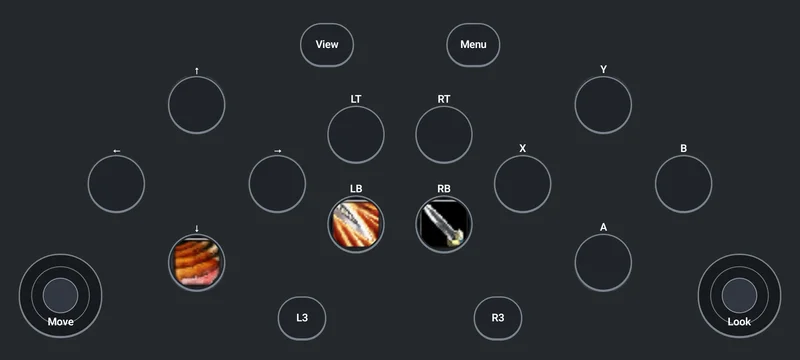
For Thumble, the phone sends gamepad input to the receiver. ConsolePort owns the in-game action assignments. A button picture on the phone does not by itself bind a spell. Use the beginner’s binding plan to group actions and practice one modifier at a time. Read the ConsolePort setup guide for Mac for the installation and binding steps.
Check your exact WoW installation
WoW clients and addon releases change independently. Check the game flavor and version you actually launch, then select a ConsolePort file marked for that client on its official CurseForge listing. An addon release for one installation is not a compatibility promise for another.
Thumble’s documented companion addon release is 0.1.2 for Classic Era 1.15.9. That release scope does not establish Thumble support for Retail, Forever or every Classic client. The Thumble addon guide explains how to select the installation and avoid the wrong file.
Check five things in your first session
- Movement: move, release the stick and check that your character stops.
- Camera: look in each direction and check that it matches your intention.
- Action: press a button assigned to jump or a known ability.
- Modifier: hold a shoulder or trigger, use an action, then release both.
- Menus: open a game menu, navigate it and return to the game.
Keep a keyboard and mouse nearby while setting up. Repeat these checks after changing controllers, bindings or clients. A phone layout preview is not proof of game input. If a check fails, use the setup troubleshooting table to separate game input, action, camera and label problems.
Common questions
Does ConsolePort replace a controller?
No. It is the WoW addon that handles the controller interface and bindings. You still need an input device that your setup recognizes.
Can I play WoW on my iPhone with Thumble?
Thumble uses the phone as the controller. The game and its display stay on the Mac, and the devices use the same Wi-Fi. Public phone downloads are coming soon.
Does every WoW version work?
Check the exact game client, addon and receiver combination. Do not infer support from a different client’s release or from a controller appearing in macOS.
Sources and scope
Apple: connect a game controller · ConsolePort official releases · Thumble requirements
This guide follows the documented setup and release scope. It is not a certification of every controller or WoW client. Check the release files and complete the in-game checks for your own setup.
Get ready for phone controls
The Thumble phone apps are coming soon. Get launch updates while you prepare your WoW setup.