what you get
An assistant that actually edits your controller
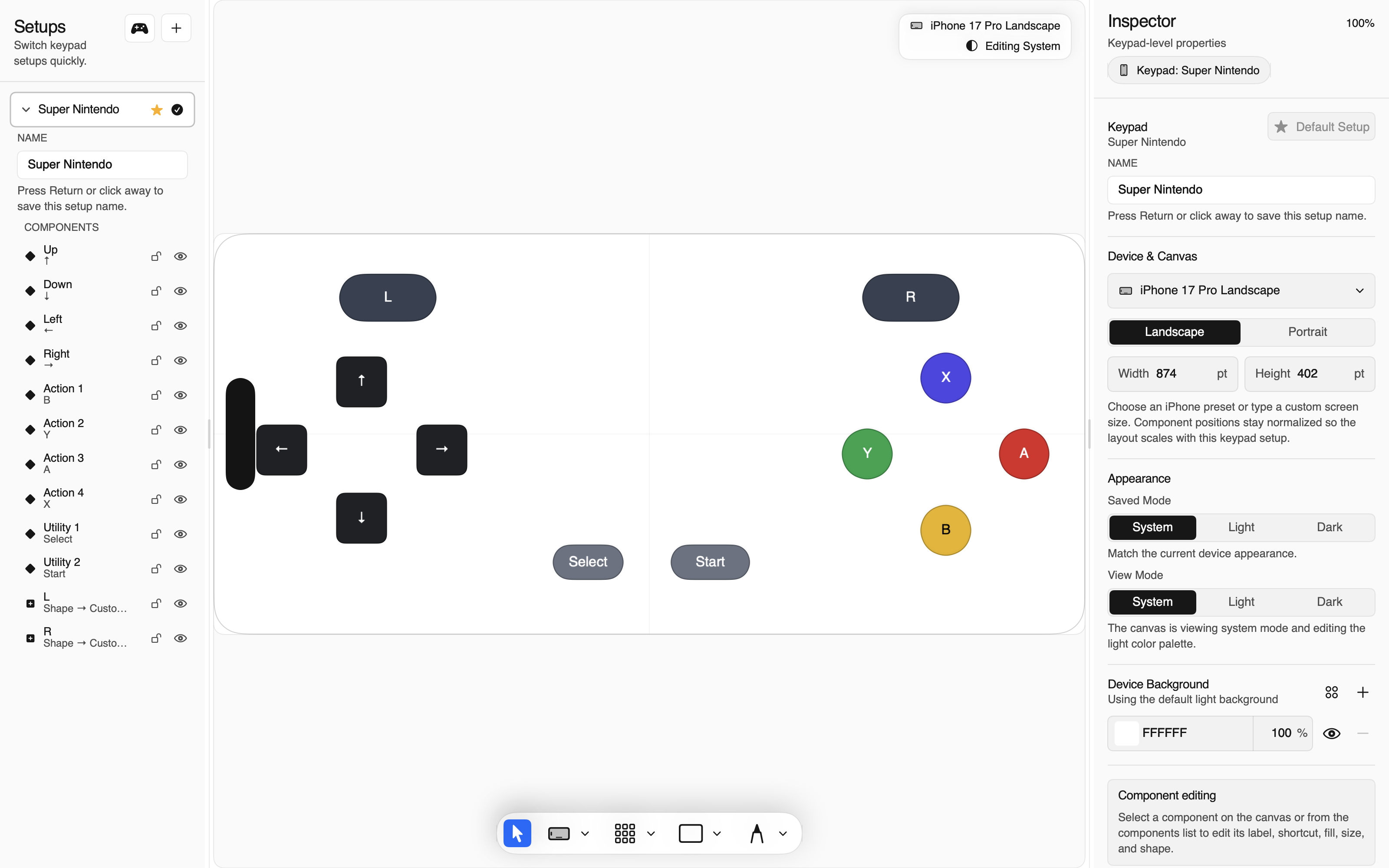
Thumble already turns an iPhone into a programmable control surface for a Mac — keypads for games, shortcut pads for productivity, joysticks and triggers for anything that wants a gamepad. The Mac app is the editor; the CLI mirrors it for scripting.
This guide adds the third interface: chat. With a remote MCP connector, ChatGPT or Claude can read your profiles, build new layouts, adjust buttons, previews, and bindings, and save — through the exact same revision-safe tool surface the CLI uses. You describe the outcome; the assistant does the pixel-pushing.
Mac app + CLI
The visual editor and the scriptable terminal, talking to the local host.
Agents + skills
Terminal-capable agents drive the same CLI with repository skill files.
ChatGPT / Claude
The same tools over an authenticated hosted relay — no Mac exposure.
What that looks like in a chat window:
you:    List my Thumble profiles, then build a landscape keypad
        for Hollow Knight — d-pad left, jump, dash, focus,
        attack, and a super-art button. Save it when it looks good.

chat:   ● read 6 profiles
        ● drafted "Hollow Knight" (9 elements)
        ● preview rendered — layout quality: 3 suggestions
        ● applied suggestions, re-checked: clean
        ✔ saved as profile 7, synced to your iPhone
Every write went through Thumble's normal draft → validate → save pipeline on your Mac, with revision checks, before anything reached your phone.
architecture
How it works
The piece that makes this safe is that your Mac never accepts inbound connections. Instead:
ChatGPT / Claude
   │  HTTPS · OAuth 2.1 + PKCE · per-tool scopes
   ▼
thumble gateway  (hosted router — never holds your profiles)
   ▲
   │  outbound WebSocket tunnel (your Mac dials out,
   │  authenticated with a device token)
   ▼
thumble relay  (on your Mac)
   │  same local unix socket as the CLI
   ▼
Thumble host ── profile sync ──▶ iPhone- The gateway is only a router. It checks OAuth scopes and forwards already-sanitized MCP JSON. Your profiles, bindings, and key material never leave your Mac.
- One-time device binding. ChatGPT's OAuth login proves who the assistant is; a six-digit code printed on your Mac proves which Mac it may drive. The code expires in five minutes and works once.
- Two gates on every write. Saving needs the
thumble.configOAuth scope and the local--allow-config-writeopt-in on your Mac. Either one alone is not enough.
requirements
What you need
- Thumble for Mac installed, paired with your iPhone, with the helper running.
- The
thumbleCLI — it ships with the Mac app. If it is not onPATH, see the CLI section of the docs. - A ChatGPT plan that allows custom connectors (developer mode), or Claude with custom-connector access, depending on the assistant you want to wire up.
- Your Mac awake and online while you use the assistant. Building for a paired phone needs the Mac anyway.
setup
Setup in five minutes
-
Make sure the Thumble helper is running.
thumble server start
thumble status
The second command should report a running helper. If you use Thumble daily, it already is.
-
Link your Mac and keep the relay in the foreground.
thumble relay connect --allow-config-writeThe command prints a one-time six-digit code, copies it to your clipboard, and opens the link page in your browser. Leave it running for now.
-
Add the connector in your assistant (ChatGPT or Claude — next two sections), and paste the code when the Link your Mac's Thumble controller page appears.
The connector URL is
https://thumble-mcp-gateway.fly.dev/mcp. When linking succeeds, the page names the device it bound — your Mac's hostname — and the terminal prints that the manifest is published. -
Move the relay to the background.
Once linking works, stop the foreground command (Ctrl-C) and install the always-on service instead:
thumble relay install --allow-config-writeThis installs a launch agent that starts at login and keeps the tunnel alive, reconnecting on network changes.
thumble relay uninstallremoves it. -
Verify everything.
thumble relay doctorEight checks — helper, bridge, device link, token hygiene, relay process, launch agent, gateway, manifest — each with a fix command if anything is off.
overall: readyand you are done.
chatgpt
Add the connector in ChatGPT
- In ChatGPT, open Settings → Apps & Connectors (on plans with developer mode) and choose to create a connector.
- Paste
https://thumble-mcp-gateway.fly.dev/mcpas the MCP server URL and continue. ChatGPT discovers the server's OAuth endpoints automatically. - Sign in with the OAuth flow. When the Link your Mac's Thumble controller consent page appears, paste the six-digit code from your terminal (it is already on your clipboard) and click Link device once.
- Review the requested scopes —
thumble.read,thumble.draft,thumble.config, andoffline_access— and approve.
Start a new conversation, and the connector appears as Thumble MCP Controller. Ask for something small first: "What's my Thumble host status?"
claude
Add it in Claude
Claude's custom connectors speak the same language — MCP over Streamable HTTP with OAuth — so the setup is the same shape. As of this writing it lives under Settings → Connectors → Add custom connector (availability depends on your plan):
- Add a custom connector with the same URL:
https://thumble-mcp-gateway.fly.dev/mcp. - Follow the OAuth consent, paste the code from
thumble relay connect, and link the device. - Grant the same scopes when prompted.
One gateway, many assistants: you can link the same Mac from both ChatGPT and Claude — each gets its own OAuth grant, and thumble relay doctor still shows a single healthy device.
using it
Using it
The assistant sees twenty curated tools: read status, list profiles and controls, render previews, query the template catalog, run the full draft lifecycle, and save. Things that work well:
Describe a game pad
"Build a landscape SNES-style pad for Celeste with a d-pad, jump, dash, grab, and two spares — name it after the game and save it."
Adjust what exists
"On the Hollow Knight pad, make the dash button bigger, move focus below attack, and swap the labels to the game's glyphs."
Preview before saving
"Render the current draft and show me the layout issues." Previews and quality checks never touch your saved profiles.
Fix messy layouts
"Run layout repair on the active profile and apply the suggested fixes." Same deterministic passes as the CLI.
Two habits make results better: ask for a preview first on big changes ("draft it and show me before saving"), and save deliberately — a save is a transaction with revision checks, and if you changed the same profile in the Mac editor meanwhile, the assistant's save is rejected rather than silently clobbering your work.
security
The security model, plainly
- No inbound holes. Your Mac dials out; nothing on your network listens for the internet.
- OAuth 2.1 with PKCE at the gateway, refresh tokens that rotate with replay detection, and per-tool scopes. A read-only grant can't save.
- Device binding by code. Knowing your account is not enough — linking a Mac needs a code that only appears on that Mac.
- Writes are doubly gated. The
thumble.configscope must be granted and your Mac must have been started with--allow-config-write. Revoke either at any time. - Input injection is never remote.
press_controland phone pairing are local-only by design; no remote scope can unlock them. - Reversible always.
thumble relay rotatereplaces the device credential in place;thumble relay revokecuts the Mac off at the gateway and deletes the local token.
operations
Day-to-day care
thumble relay status        # linked? online? manifest published?
thumble relay doctor        # full diagnosis with fixes
thumble relay rotate        # new credential, same device — run anytime
thumble relay revoke        # unlink this Mac from the gateway
thumble relay uninstall     # remove the background service
If ChatGPT reports "Your Thumble device is unavailable", it means exactly that: the Mac is asleep, offline, or the relay stopped. Wake it, check with doctor, retry. Tool listings keep working even while the Mac is offline because the gateway caches your device's manifest — so the connector never breaks validation.
Sleep is the main gotcha. A laptop with the lid closed is not a controller host; either keep the Mac awake while chatting, or accept that saves will wait until it is.
faq
FAQ
Does my data go through your servers?
Sanitized, already-structured MCP responses are relayed through the hosted gateway so ChatGPT can reach your Mac — the gateway never sees raw profiles, bindings, or secrets, and it stores no profile state. Configuration authority stays on your Mac the whole time.
Can the assistant press buttons on my phone?
No. Input injection is a local-only capability with no remote scope. Remote sessions can build layouts and save configurations; pressing controls stays with you and your terminal.
What if I link a second Mac?
Each Mac links separately and shows up under its own hostname. Connectors bind to one device per link, so add the connector again from the other Mac's code if you need both.
I revoked by mistake — how do I get back?
Run thumble relay connect again for a fresh code and re-link. Your profiles were never touched; only the credential is replaced.
next steps
Go further
- Full Thumble documentation — pairing, editor, outputs, CLI, and local agents.
- Guide an AI agent locally — the terminal-native sibling of this setup.
- Source and issue tracker on GitHub — the relay's design is documented in
docs/mcp/.